Have AI mark the five kinds of facts it's most likely to invent
In an answer that reads smoothly, five spots should be suspect by default. When you're done, you can point to where they are.
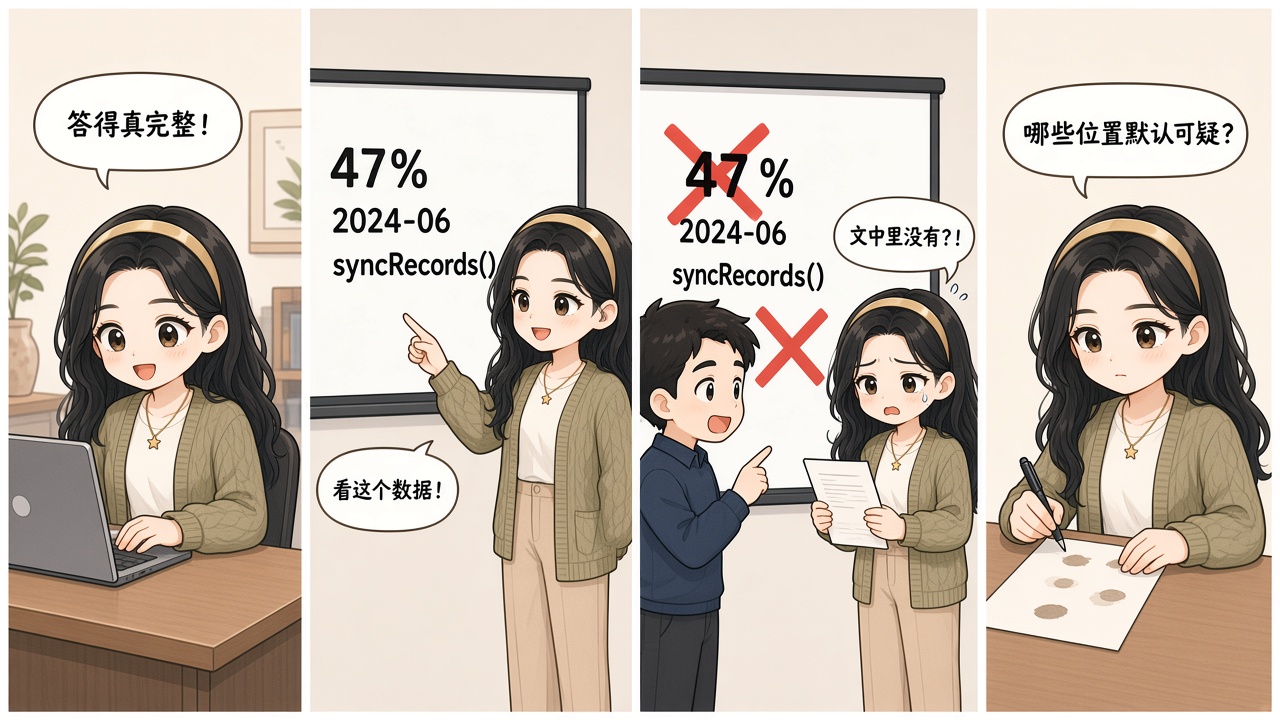
The smoother the answer, the easier it is to skip the check. Alice's numbers, dates, and API names only fail when she looks them up on site.
Friday afternoon. Alice has to hand a colleague an event plan the AI put together. It reads smoothly: expected participation is 47%, the new process goes live on June 1, data can be exported through syncRecords(), and the old appendix even mentions auto-restore across devices. Headings, bullets, the conclusion — all laid out complete.
She doesn't spot a grammar issue or a contradiction, so she drops it straight into the briefing. On the spot they open the original announcement and the help docs: the number, the date, and the API name aren't there, and the so-called auto-restore never shipped. A few concrete details drag the whole plan back into rework.
The problem isn't whether the answer sounds real. The move that actually saves time is locating the spots most worth checking first. Suspect means “needs evidence,” not “already wrong.”

- Numbers: Amounts, rates, thresholds, version numbers, and parameters down to the decimal.
- Timeline: Publish times, go-live dates, sequence, and update points.
- Settings or API names: Even if the name looks like the real product copy, go back to the actual UI or official docs.
- Obscure details: A line in an old manual, an attachment, or meeting notes — hard to cross-check from outside.
- Feature claims: Claims that it supports, can, or automatically does something — especially don't fill in the blank with common experience.
The five types are just risk labels. If the original stats table matches 47%, that claim stands. If the help page has no auto-restore, the feature claim is only then disproved by evidence. Flagging suspect is for the queue. Checking the original is for the verdict.
- Pull the five types out as-is
From the answer below, extract numbers, timelines, settings or API names, obscure source details, and feature claims — as written. Don't rewrite. Don't judge whether the whole passage is reliable.
- Assign evidence to each one
Output as “original sentence | category | original material to check | current status.” If there's no direct basis, write “needs check.” Don't invent page numbers or sources.
- Decide what to check first by consequence
Point out which error would change the decision, and give it the shortest check first. Clearly distinguish “suspect,” “confirmed,” and “disproved.”